Published: 16th June 2025

Who’s being left behind in the AI race? And what can we do about it? Microsoft 365 Copilot is evolving fast. In just two years, we’ve gone from the launch of Bing Chat to embedded AI across Word, Excel, PowerPoint, Outlook and Teams. And the pace hasn’t slowed, Wave 2 has landed, complete with audio summaries, meeting catch-ups and document insights designed for the era of agent collaboration.
It’s impressive. But it’s also overwhelming. Because while early adopters dive into prompting, exploring and agent-building, others are quietly falling behind.
Not resistant. Just undersupported.
We ran a recent webinar to unpack the rapid changes in Microsoft 365 Copilot and the standout theme was clear: most people aren’t resisting AI, they’re just underserved.
We found they’re:
These aren’t edge cases. They’re your colleagues, your team members, and if we want Copilot to deliver genuine value, we need to meet them where they are.
A new wave of features for passive users
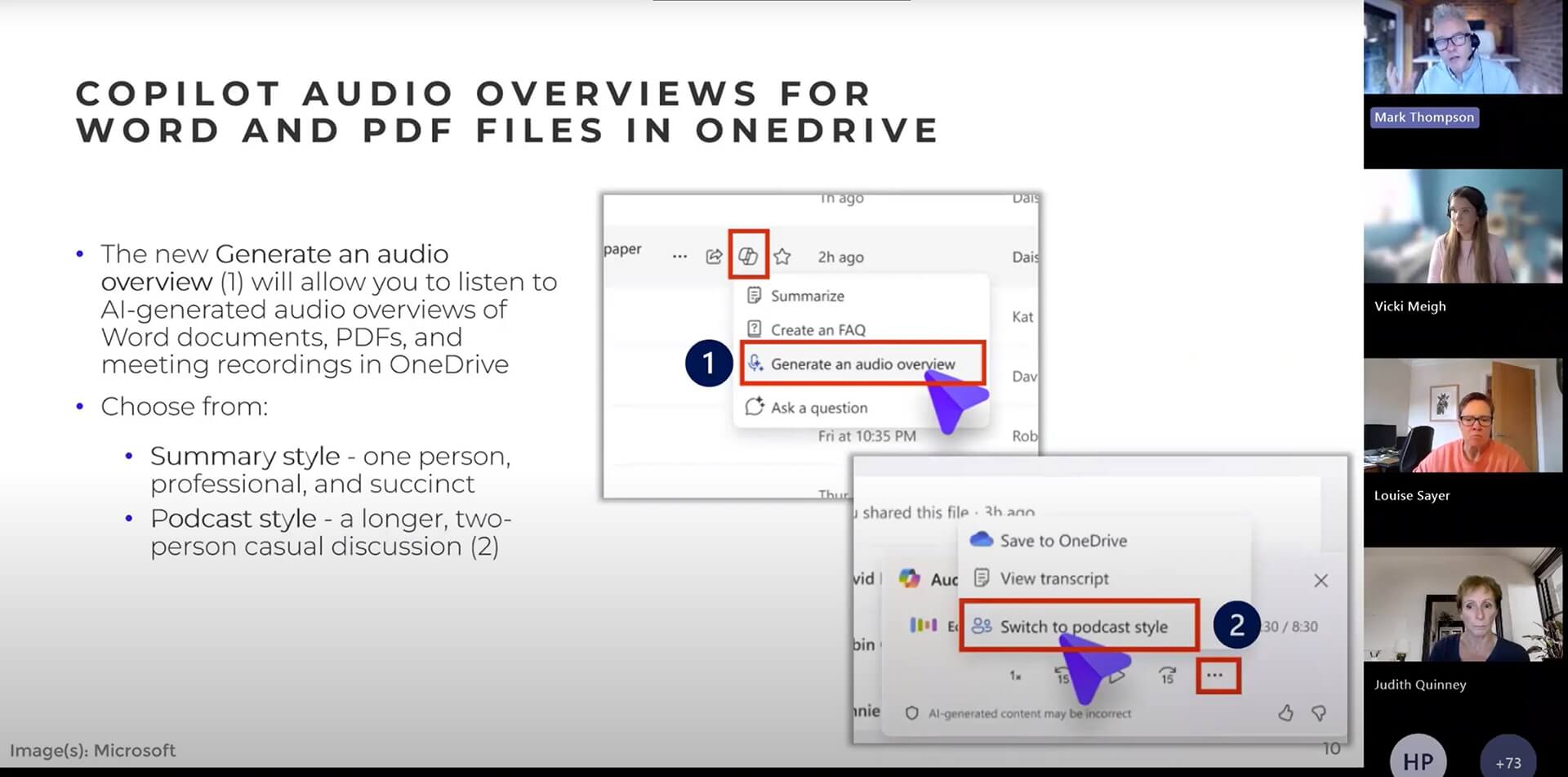
The good news? Wave 2 of Copilot introduces features that don’t require deep prompting or advanced AI literacy. They’re simple, intuitive and designed for real life.
Here are just a few of the highlights we explored:
There’s no prompting required. No specialist knowledge. Just features that work in the background to help people feel more in control.
Practical steps to re-engage your people

So how do we bring the rest of the organisation along for the ride? Think less ‘deep-dive workshop’, more bite-sized, role-relevant nudges:
Most importantly, listen. The best prompts aren’t typed, they’re spoken in team meetings, raised in communities or picked up in quiet moments of hesitation.
Don’t leave people behind

It’s easy to get swept up in AI innovation. But every time we race ahead, we risk widening the gap between the confident and the cautious. Copilot can unlock incredible value, but only if everyone has a fair shot at using it well. Let’s not just lead the charge. Let’s go back, reach out, and bring others with us.

Not sure where to start?
We’re offering free 15-minute 1:1 sessions to help you map out your next Copilot steps. Whether you’ve got questions, blockers or just need a steer.